Your Phone Has the Bands. The Carrier Still Says No.
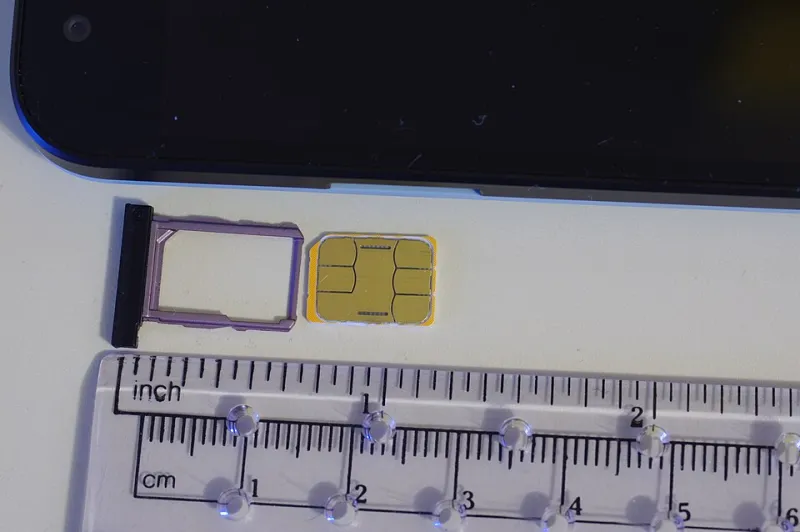
Photo: BwDraco, CC BY-SA 3.0, via Wikimedia Commons
Your open-source phone boots. The ROM is clean, the bootloader is locked, and the radio settings look right. You slide in a SIM, wait for the signal bars, and get nothing. Maybe a sad little “no service” message. This is the moment when a lot of people assume the hardware is broken or the ROM is half-baked. Sometimes they're right. But in the US, the more common culprit is boring and bureaucratic: the carrier doesn't recognize your phone.
If you're running QtMoko or another open-source build, this is the part of the stack nobody warns you about. The phone can have the right LTE bands, the right modem, and a perfectly good IMEI, and still get treated like a stranger at the door. The gatekeeper isn't the tower. It's the carrier's device database.
The whitelist is a policy, not a radio
AT&T maintains a list of devices it has tested and approved for its network. Verizon has its own certification process. T-Mobile is generally more BYOD-friendly, but it still expects VoLTE support and can get picky about IMEIs that don't match its records. The details vary, but the pattern is consistent: carriers want to know the exact device model, the modem firmware, and the voice stack before they let it onto the network.
Carriers will tell you this is about reliability, emergency calling, and liability. That's not entirely nonsense. A phone that can't complete a 911 call or drops VoLTE mid-conversation is a real problem. But the result is a system where a small open-source project can spend months getting a device to work and still get blocked because nobody paid for a certification lab or filled out the right paperwork.
Three checks that matter before you buy
First, bands. Your phone needs the LTE bands your carrier uses in your area. A device that supports Band 2 and Band 4 may be fine in one city and miserable in another. Check the model number, not just the marketing name. Open-source phones are often imported, and the global version may lack a band your local carrier leans on.
Second, VoLTE. Since the 3G shutdown, voice calls ride on LTE for most US users. If your phone can do data but not voice, you'll get a data-only connection or no service at all. Some open-source ROMs include carrier configuration profiles for VoLTE and IMS. Others don't. Ask before you buy, and don't assume a successful data connection means calls will work.
Third, IMEI status. An IMEI can be clean, blacklisted, or simply unknown to the carrier. A used phone with a clean IMEI is not automatically whitelisted. A brand-new import can be clean and still fail the carrier's BYOD checker. Run the IMEI through your carrier's compatibility tool, then test with a real SIM if you can.
The VoLTE trap is where most people get stuck
Data is easy. Voice is where open-source phones often stumble. Carriers use IMS profiles to tell the network how to handle calls, texts, and emergency services. If your ROM doesn't have the right profile, the phone may register for data and still refuse to place a call. Sometimes a carrier settings update fixes it. Sometimes you need a community patch. Sometimes nothing works, because the carrier won't provision a device it doesn't recognize.
This is especially annoying because the hardware is often capable. The modem supports VoLTE. The phone has the bands. The only missing piece is a configuration file and a carrier database entry. That's not a hardware failure. It's a policy failure.
How to test without burning money
Buy from a retailer with a real return window. Don't open the box and immediately flash a custom ROM if you're still inside the return period. Test the phone as shipped first. Put in a prepaid SIM from the carrier or MVNO you actually plan to use. Make a call, send a text, send a picture message, and try a voicemail. If calls fail, you've learned something valuable while you can still return the device.
MVNOs can be a useful test bed. Some are more lenient than the big three, and some are stricter. A SIM from an AT&T-based MVNO will tell you something different than a T-Mobile-based one. If you're serious about a specific open-source phone, search for recent reports from users in your state. Carrier compatibility is regional, and a phone that works in Chicago may struggle in rural Montana.
What the community is doing about it
Open-source phone users have gotten good at shared compatibility spreadsheets, model-specific forum threads, and informal testathons. When a carrier changes its whitelist or VoLTE requirements, someone usually notices and posts about it. That's not a substitute for a formal certification program, but it's often faster than waiting for a carrier to publish clear documentation.
There's also pressure from the outside. Public comments on FCC proceedings, complaints about misleading BYOD checkers, and consumer advocacy around device locking all matter. They don't fix the problem overnight, but they make it harder for carriers to pretend the whitelist is invisible. If your phone is blocked, document it. Model number, IMEI result, carrier, date, and what happened. Anecdotes are annoying. Patterns are evidence.
A practical checklist before you flash
Here's the short version. Confirm the exact model number and LTE bands. Check the IMEI on your carrier's BYOD tool. Ask the ROM community whether VoLTE works on your carrier. Buy with a return window. Test calls and texts before you customize. Keep your old phone until the new one has made a real call. And don't assume “unlocked” means “approved.” Those are two different words for a reason.
The open-source phone dream is not just about software freedom. It's about being able to use the hardware you own on the network you pay for. Right now, the carrier whitelist is one of the least glamorous and most effective gatekeepers in that story. Knowing how it works won't magically get your phone approved, but it will save you from blaming the ROM for a decision made in a carrier database.